



Key Takeaways
- Available as a Windows/Mac desktop client, an Android APK, an iOS App Store app, or a no-install browser version;
- Android installs require enabling unknown sources in device settings; iOS installs run entirely through the App Store;
- A browser-based version needs no download at all, useful for shared or work devices;
- Identity verification typically happens before a first withdrawal, not before play starts;
- Cash tables, tournaments and the cashier are all accessible from the same lobby after logging in;
- Support is available in Vietnam for install issues such as stalled downloads or APK errors.
888 Poker Client for Windows and Mac
Players who like having a dedicated piece of software rather than a browser tab can grab the 888 Poker app for both Windows and macOS machines. It’s the exact same poker room underneath, just packaged as a proper standalone application that opens on its own instead of sharing space with a dozen other browser tabs.
Download Steps for Desktop Users
- Head to the official download page and grab the installer matching your operating system;
- Run the installer and click through the setup prompts;
- Log in with a username and password once the client opens.
Once that’s done, the full lobby, cash tables, scheduled tournaments and the cashier all sit in one place rather than scattered across separate pages.
888poker Android App Download and Installation
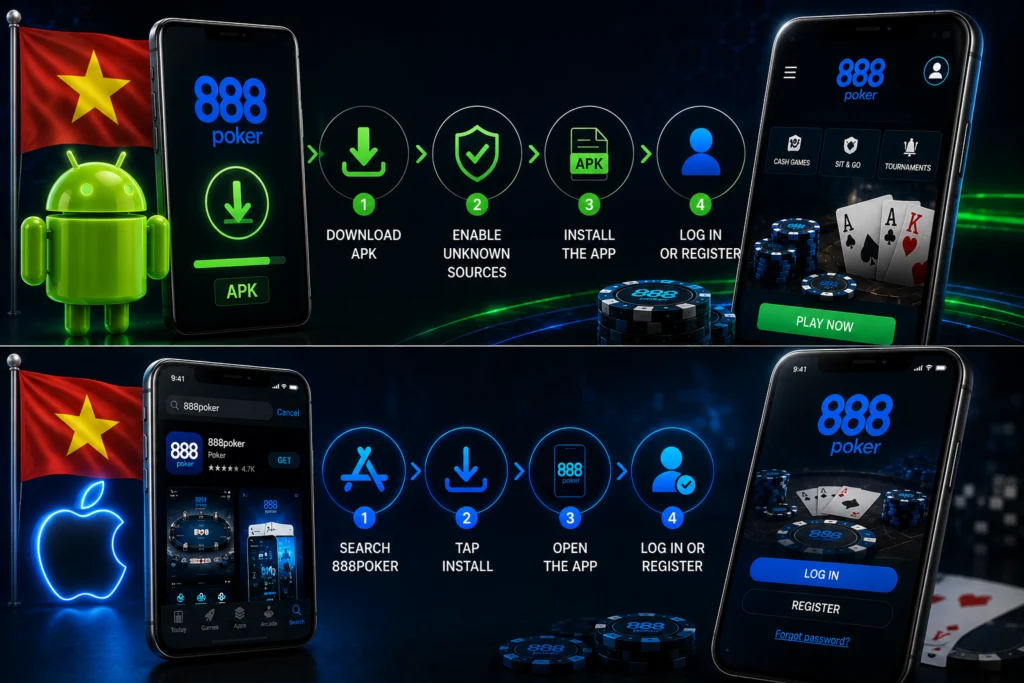
Android users get their copy of the app a bit differently than the usual Google Play route, since the 888 Poker download comes as a direct APK file rather than a standard listing in most regions, which trips some people up the first time around.
Enabling Unknown Sources and APK Setup
- Grab the APK straight from the official 888poker page;
- Flip the toggle in the phone’s security settings to allow installs from unknown sources;
- Open the downloaded file to finish the install;
- Log in or register to reach the lobby.
It sounds more technical than it is – really just a quick setting change, not a workaround.
888poker iOS App Download from the App Store
iPhone and iPad users have it more straightforward, since the app sits right in the official App Store instead of needing a separate file downloaded and installed manually.
Installing and Launching on iPhone
The App Store listing for the 888 Poker download shows up as soon as you start typing the name, and tapping install handles the whole thing automatically, no extra settings to dig through beforehand, no separate permissions to enable. Once the install finishes, opening the app drops straight onto a login screen, where an existing player signs in as usual, or a brand-new player can register right there on the spot before heading into the lobby to find a table.
Browser-Based Poker Without Downloading
Not everyone wants to install something new on their device, and the 888 Poker app doesn’t force that choice either. A browser-based version runs directly through a computer or mobile browser, no download, no install screen, no waiting around, just opening the site and getting straight into a game. It’s a genuinely useful option on a shared computer or a work device where installing an app isn’t really practical, or simply for anyone who wants to try a few hands before deciding whether to commit to a full download.
Setting Up an Account After Download
Once the 888 Poker download and install are done, the next step — whether through the app or the browser version — is getting into an actual account, either logging in with existing details for a returning player, or working through a short registration form for someone brand new to the platform.
Verifying Details Before First Deposit
Before that first real money deposit goes through, there’s typically a quick identity verification step involved, confirming that basic personal details line up correctly with what’s on file. This check tends to happen ahead of a first withdrawal rather than blocking play from the start, so it doesn’t get in the way of jumping straight into a table after signing up. Once it’s out of the way, deposits, withdrawals and everything else move along without needing to repeat any of it later.
Games and Features Inside the Downloaded App
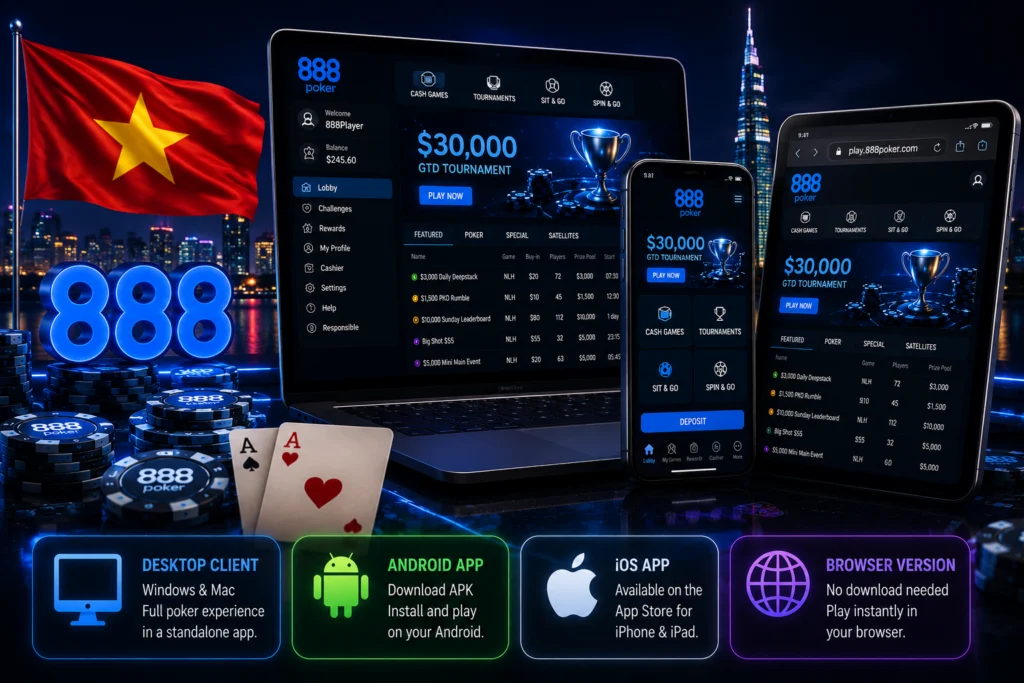
After 888 Poker download, and once logged in, the app opens up onto the same experience across different platforms:
| Version | What’s Available |
| Desktop client | Cash tables, full tournament schedule, and cashier in a standalone application. |
| Android/iOS app | Same games and features as desktop, accessible from a single mobile lobby. |
| Browser version | Full platform access with no install required. |
Whether it’s a short cash session squeezed into a break or settling in for a scheduled tournament that runs for a couple of hours, everything sits inside the same lobby, and switching between formats takes a tap or a click rather than backing out and starting over somewhere else.
Support for Download and Installation Issues in Vietnam
When you download 888 Poker and something goes wrong partway through, a download that stalls, an APK that refuses to install, an app that crashes right after opening, support is available to help sort it out rather than leaving players to troubleshoot entirely on their own. Players in Vietnam can reach the platform’s usual support channels for exactly this kind of issue, and in most cases the fix turns out to be something simple, an outdated operating system version, a setting that still needs adjusting on the device, or a download that just needs restarting from scratch.
